Syllabus
Queens College
Art Department – Photography & Imaging
3D Modeling, Printing, & Casting I
PHOTO 230-01/ARTS 282-04, 369-04
Tuesday 10:00am-1:50pm
I-Building Rm 213 & Klapper 181
Fall 2026
Instructor: Matt Greco
Teaching Assistant: Carmen Rubio
Office: Klapper 106
Hours: By Appt
Email: matthew.greco@qc.cuny.edu
Course Website: https://www.professorgreco.com
Course Description:
3D Modeling/Printing and Casting will emphasize the role new technologies play in imaging and analog sculptural processes. In this course students will learn how to take advantage of imaging technology such as 3D modeling and printing as it applies to the traditional ceramic practice of slip casting. The course will explore the rudiments of 3D modeling, how to prepare 3D files for 3D printing using Fused Deposition Modeling, the basics of molding models in plaster, the unique properties of ceramic slip, the process of producing multiples through slip casting, and glazing/firing the finished castings. Students will study the aesthetic qualities of translating 2D images into 3D sculptural form as well as the technical aspects of the process.
Course Objectives:
At the close of this course the successful student will have a comprehensive understanding of 3D modeling in solids, preparing files for 3D printing, and the process of slip casting. They will expand their vocabulary to include the proper terminology for creating and critiquing sculptural form as well as the major components of the technical process. They will demonstrate the ability to think creatively, form project ideas, and follow those ideas from conception to realization. Students will have a sound understanding of how new digital tools and technologies can advance traditional artistic practices.
Course Requirements:
Students will be expected to complete all assignments on time and to the best of their ability. Students are expected to attend every class but life does happen so you get 3 absences, after that, additional absences will likely result in missed material and thus a lower grade. Be on time please; tardiness is as bad as absences; I will begin class a few minutes late to give everyone time to get settled in – do not abuse this. We will have a final critique; attendance is required.
Reasonable Accommodations for Students with Disabilities
Students requiring a disability accommodation, or need technical assistance with accessible course materials, should contact: qc.spsv@qc.cuny.edu
Students are allowed to register with the department anytime while attending Queens College, but it is recommended that they do it as soon as possible so they can be accommodated properly. https://www.qc.cuny.edu/sp/
CUNY Policy On Academic Integrity
Only your own photos, artwork, and/or writing are permitted for use in projects. The unauthorized use of images and compositions that are not your own is considered plagiarism. Academic Dishonesty is prohibited in The City University of New York and is punishable by penalties, including failing grades, suspension, and expulsion as provided at https://www.cuny.edu/about/administration/offices/legal-affairs/policies-procedures/academicintegrity-policy/
Statement on Student Wellness
As a student, you may experience a range of challenges that can interfere with learning, such as strained relationships, increased anxiety, substance use, feeling down, difficulty concentrating and/or lack of motivation. These mental health concerns or stressful events may diminish your academic performance and/or reduce your ability to participate in daily activities. QC services are available free of charge. You can learn more about confidential mental health services available on campus at https://www.qc.cuny.edu/cs/
Use of Student Work
All programs in New York State undergo periodic reviews by accreditation agencies. For these purposes, samples of student work are occasionally made available to those professionals conducting the review. Anonymity is assured under these circumstances. If you do not wish to have your work made available for these purposes, please let the professor know before the start of the second class. Your cooperation is greatly appreciated.
Queens College Classroom Photography and Recording Policy
Neither photographs nor recordings (audio or video) of all or parts of classes at Queens College may be made without written permission from the course instructor(s).
Course Evaluations
During the final four weeks of the semester, you will be asked to complete an evaluation for this course by filling out an online questionnaire. Please remember to participate in these course evaluations. Your comments are highly valued, and these evaluations are an important service to fellow students and to the institution since your responses will be pooled with those of other students and made available online. Please also note that all responses are completely anonymous; no identifying information is retained once the evaluation has been submitted.
Course Website:
Please check our course website every week for updates to the syllabus or schedule, links to information and resources, and a student gallery page where we will showcase your work throughout the semester.
Grades:
3D Models prepared correctly for 3D printing – 20%
3D Prints – 20%
Plaster Molds – 20%
Final Glazed Pieces – 40%
3D Models prepared correctly for 3D printing – 20%
Two 3D models (cup and bowl) should be clean, error-free files that show a cohesive design concept, an attention to form and use, and are prepared successfully for 3D printing.
3D Prints – 20%
Two 3D prints (cup and bowl) should be structurally sound, cleanly executed, and final finished and show an understanding of the process.
Plaster Molds – 20%
Two plaster molds (cup and bowl) should be properly constructed and fully functional and demonstrate how to cleanly capture the 3D print and produce reliable slip castings.
Final Glazed Pieces – 40%
Sixteen (8 cups and 8 bowls) finished castings should be cleanly cast and evenly glazed. Demonstrating your craftsmanship, design, and successful completion of the full process.
Printing, Molding, and Casting:
3D Printing for the course will be done primarily by the Klapper Digital Lab with the materials paid for through the course M&T Fee. You can also send you file to a service bureau to be printed. I suggest HUBS – they have a dollar minimum so submit your files in groups – https://www.hubs.com/. There’s also the Queens College’s Makerspace: https://library.qc.cuny.edu/makerspace/ – Rosenthal Library Rm 101. You need to schedule an orientation and safety training before you can use the space. Do this right away so you have access when you need to make your prints. Using the makerspace is also free but you’ll only get limited support and training. Or you can print yourself at home if you have your own 3D printer.
Most supplies for the mold making and casting assignments are provided by your M&T Fee including plaster, casting slip, and glaze. You will have to purchase a few small supplies. See below.
Do not send your file to print until approved by me.
Printing Parameters:
Max Height: 130mm
Max Width: 125mm
Process: FDM
Material: PLA
Infill: 10%-20%
Equipment:
Check all equipment to ensure good operation, especially jump drives and portable hard drives. Lost files, corrupted disks, etc. are not acceptable excuses for missed assignments. BACK UP EVERYTHING OFTEN.
Required:
- 1 five gallon bucket
Like this: CLICK
- 2 four quart round or square plastic container
Like this: CLICK
Recommended Reading:
- The 3D Printing Handbook by Ben Redwood, Filemon Schöffer, Brian Garret
- 3D Printing Made Easy for Newbies and Hobbyists by Natalie Guzman
- The Essential Guide to Mold Making & Slip Casting by Andrew J. Martin
Schedule (subject to change):
Week 1: 9.1
I-213
Course outline, review syllabus, required equipment, recommended reading.
- Can you access your Queens College Email? (https://login.microsoftonline.com/)
- Can you log into Queens College computers? (AMS aka CAMS https://apps.qc.cuny.edu/ams)
- Create Autodesk Account (https://www.autodesk.com/education/home)
- Download Fusion
Week 2: 9.8
I-213
What is 3D printing? History of 3D printing, various 3D printing technologies, 3D modeling software, modeling in solids vs meshes, making a printable 3D model
Confirm Autodesk Account and Access to Fusion
Week 3: 9.15
I-213
3D modeling with Autodesk Fusion 360
3D modeling a house, modeling a gear
Watch LinkedIn Learning Videos
Bring sketches of cup for class on 9.22
Week 4: 9.22
I-213
3D modeling with Autodesk Fusion 360 cont.
Sketching, Extruding, Flare, Fillet, Chamfer
Sketch Pattern
Get Buckets!
Week 5: 9.29
I-213
3D modeling with Autodesk Fusion 360 review
Sketching, Extruding, Flare, Fillet, Chamfer
Sketch Pattern
Revolving, Lofting
Workday
3D model cup & bowl #1
Week 6: 10.6
I-213
3D modeling with Autodesk Fusion 360 review
Intro to making plaster molds; poured & frosted molds, cottle boards
Making plaster molds for slip casting
Ceramic 101 – green ware, bisque ware, glaze ware – cone temps and glazing techniques
What is slip and how do you cast with it?
Workday
3D model cup & bowl #2
Week 7: 10.13
NO CLASS – TUES is a MON
DROP DEADLINE – Final models saved as STL and sent to be 3D printed
Week 8: 10.20
I-213 & KP 181
Mold making demo
Making molds
Workday
MUST HAVE both 3D prints
MUST HAVE buckets
Week 9: 10.27
KP 181
Workday
Casting demo
Making molds
Making castings
Week 10: 11.3
KP 181
Glazing 101 Demo
Making molds
Making castings
Week 11: 11.10
KP 181
Workday
Making castings
Week 12: 11.17
KP 181
Workday
All castings should be dry and on shelves for firing
Week 13: 11.24
KP 181
Workday
Glazing
Last Wet Day (all castings should be drying in preparation for firing)
Week 14: 12.1
I-213 & KP 181
Workday
Week 15: 12.8
I-213 & KP 181
Workday
Last Glaze Day and final firing of castings
Week 16: 12.15
KP 181
LAST DAY OF CLASS
Final Critique: show (2) 3D prints and 8 final castings.
Document work, clean up studio
_____________________________________________________________________________________
Resources
Equipment Recommendations:
4 QT Round or Square Plastic Container
Book Recommendations:
- The 3D Printing Handbook by Ben Redwood, Filemon Schöffer, Brian Garret
- 3D Printing Made Easy for Newbies and Hobbyists by Natalie Guzman
- The Essential Guide to Mold Making & Slip Casting by Andrew J. Martin
Software:
Autodesk Fusion 360 (click here and register for a student account – use your QC email address – when asked, create “new team” and name it your name)
Linkedin Learning (free for CUNY students):
Linkedin Learning for Queens College
Fusion 360 on Linkedin Learning
Fusion 360 Navigation & Keyboard Shortcuts
- Zoom: roll the middle mouse button or Ctrl + Shift + middle mouse button
- Pan: middle mouse button
- Orbit: Shift + middle mouse button
| Mouse/Touchpad: | ||
| Pan | press middle button | press middle button two-finger drag |
| Zoom | roll wheel | roll wheel pinch |
| Orbit | Shift + press middle button | Shift + press middle button Shift + two-finger drag |
| Orbit around point | Shift + click then press middle button | Shift + click then press middle button |
Printing:
You will be responsible for getting your 3D models printed:
3D Printing for the course will be done primarily by the Klapper Digital Lab with the materials paid for through the course M&T Fee. You can also send you file to a service bureau to be printed. I suggest HUBS – they have a dollar minimum so submit your files in groups – https://www.hubs.com/. There’s also the Queens College’s Makerspace: https://library.qc.cuny.edu/makerspace/ – Rosenthal Library Rm 101. You need to schedule an orientation and safety training before you can use the space. Do this right away so you have access when you need to make your prints. Using the makerspace is also free but you’ll only get limited support and training. Or you can print yourself at home if you have your own 3D printer.
Do not send your file to print until approved by me.
Printing Parameters:
Max Height: 130mm
Max Width: 125mm
Process: FDM
Material: PLA
Infill: 20%
Orientation: print upside down
Online Open Source 3D Models:
Metrics
100 microns (μ) = .1 mm
1000μ = 1mm
To Find Cubic Inch Volume:
height x width x depth = cubic inches
To Find Volume of Plaster for Cubic Volume:
cubic inches ÷ 58 = quarts
quarts – 20% (multiply by .20) = volume of H20 needed
refer to chart below
Plaster Mixing Chart
| Water | Plaster | |||
| 1 quart | 2 lbs. 14 oz. (1,293 grams) | |||
| 1 1/2 quarts | 4 lbs. 4 oz. (1,937 grams) | |||
| 2 quarts | 5 lbs. 11 oz. (2,585 grams) | |||
| 2 1/2 quarts | 7 lbs. 2 oz. (3,230 grams) | |||
| 3 quarts | 8 lbs. 9 oz. (3,878 grams) | |||
| 3 1/2 quarts | 10 lbs. (4,522 grams) | |||
| 1 gallon | 11 lbs. 6 oz. (5,171 grams) | |||
| 1 1/2 gallons | 17 lbs. 2 oz. (7,756 grams) | |||
| 2 gallons | 22 lbs. 13 oz. (10,337 grams) | |||
| 2 1/2 gallons | 28 lbs. 8 oz. (12,923 grams) | |||
| 3 gallons | 34 lbs. 3 oz. (15,508 grams) |
Mixing Plaster for Slip Casting Molds PDF
Sin-Ying Porcelain Casting Slip Recipe ^10
________________________________
Video Tutorials
Part 1:
Autodesk Fusion 360 Tutorials:
Part 2:
Linkedin Learning Fusion 360 Tutorials:
Fusion 360 Essential Training
Watch Chapter 2 parts 1 – 10 (stop at “What is Lofting?”)
Watch Chapter 3 parts 4 and 5 “Overview of TImeline” and “Editing via the Timeline”
Part 3:
Extrude & Taper in Fusion 360
;
Circular Pattern Sketch in Fusion 360
Revolve in Fusion 360
Lofting in Fusion 360
Export to STL in Fusion 360
Modeling with T-Splines (Forms) in Fusion 360
Move, Copy, Paste – Sketches and Bodies
Creating a one-part plaster mold:
How to use Solidworks to design a multi-part mold:
You can use similar techniques and tools to do this in Fusion 360
_________________________________________________________________________________________
Videos
3D Printing Videos
Just Plain Cool
3D Slicing Video
Mold Making Videos
Casting Videos
_______________________________________________
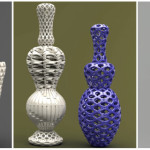
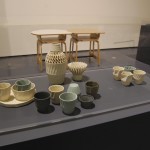
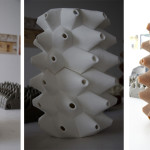
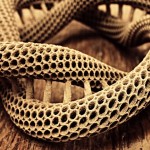
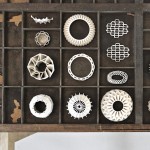
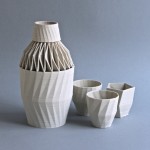
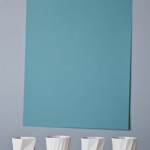
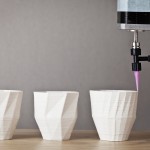
Work by Ceramic Artists Using 3D Printing
___________________________________________________________________________________